Below is a comprehensive guide to help you vote on Flow State using your New GoodWallet (NGW).
You can choose between our video tutorial:
Voting on Flow State using New GoodWallet
And our step-by-step tutorial:
Kindly follow the steps accordingly to ensure your votes are counted and you can claim your rewards!
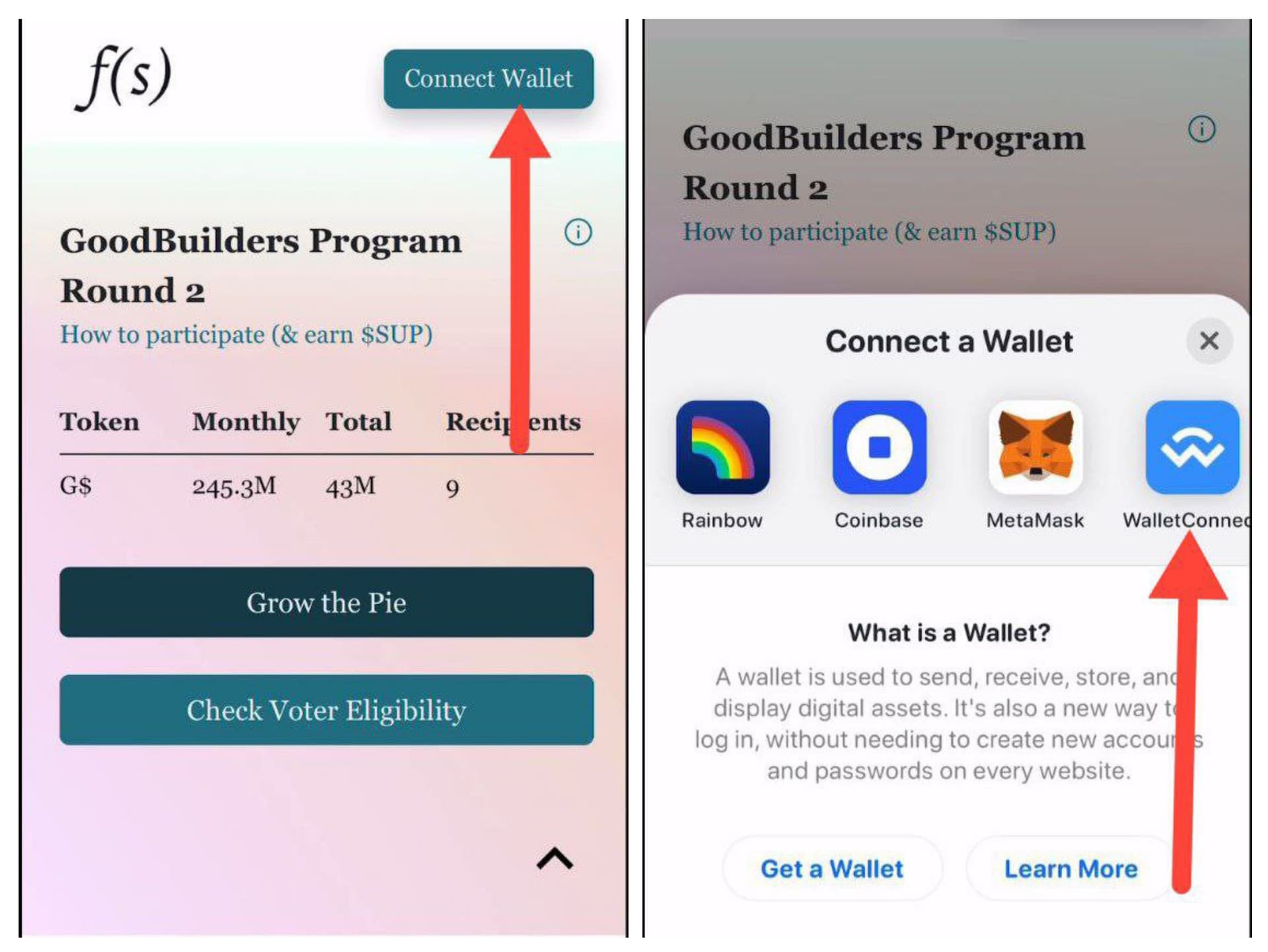
Step 1: Connect Your Wallet:
-Visit the Voting Site: https://flowstate.network/gooddollar
-Tap Connect Wallet on the voting site.
-Choose WalletConnect as the connection method.
Step 2: Get the WalletConnect Link:
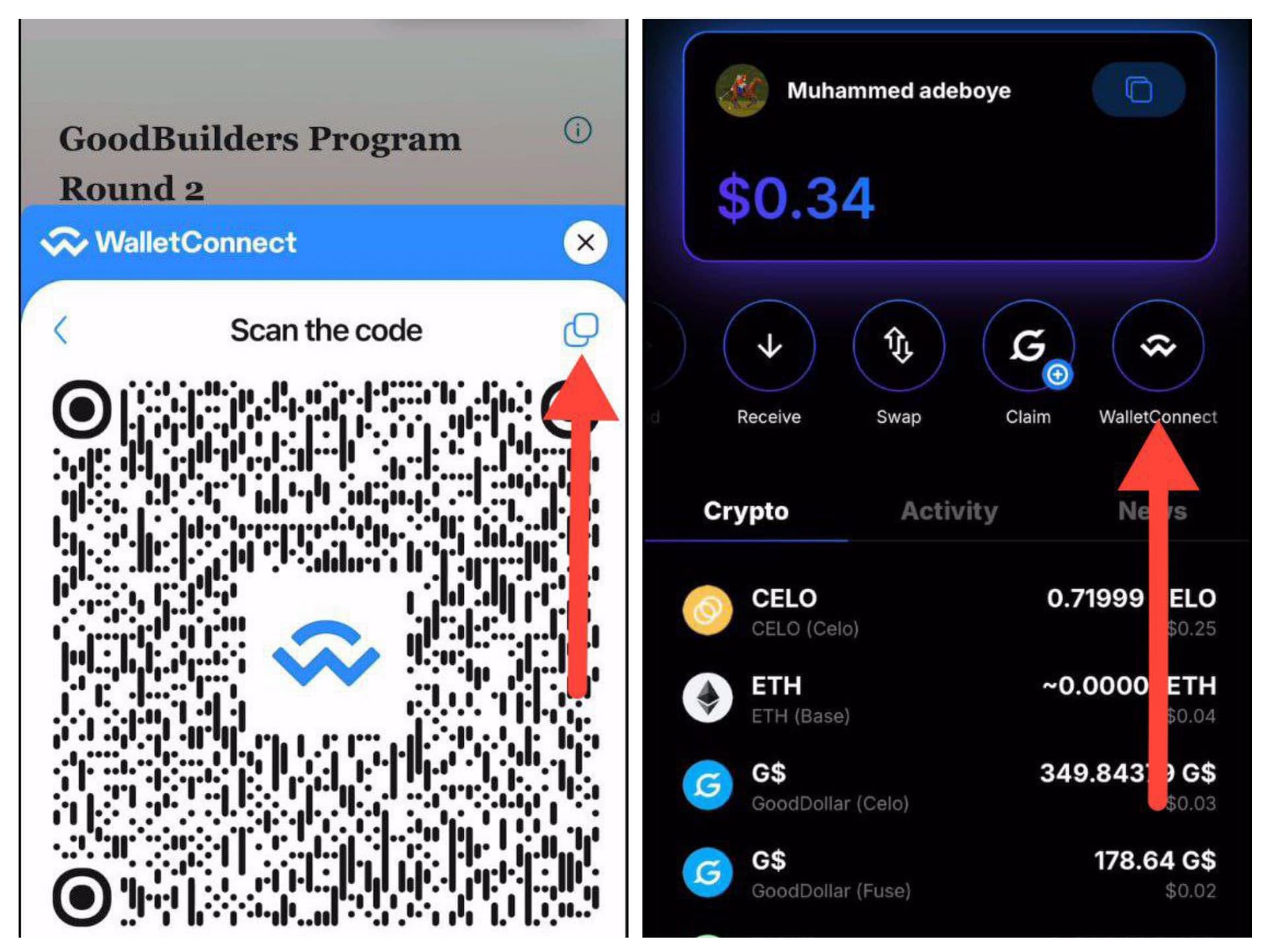
-Copy the WalletConnect link provided.
-Open your New GoodWallet (NGW) and navigate to the WalletConnect section.
Step 3: Connect via NGW:
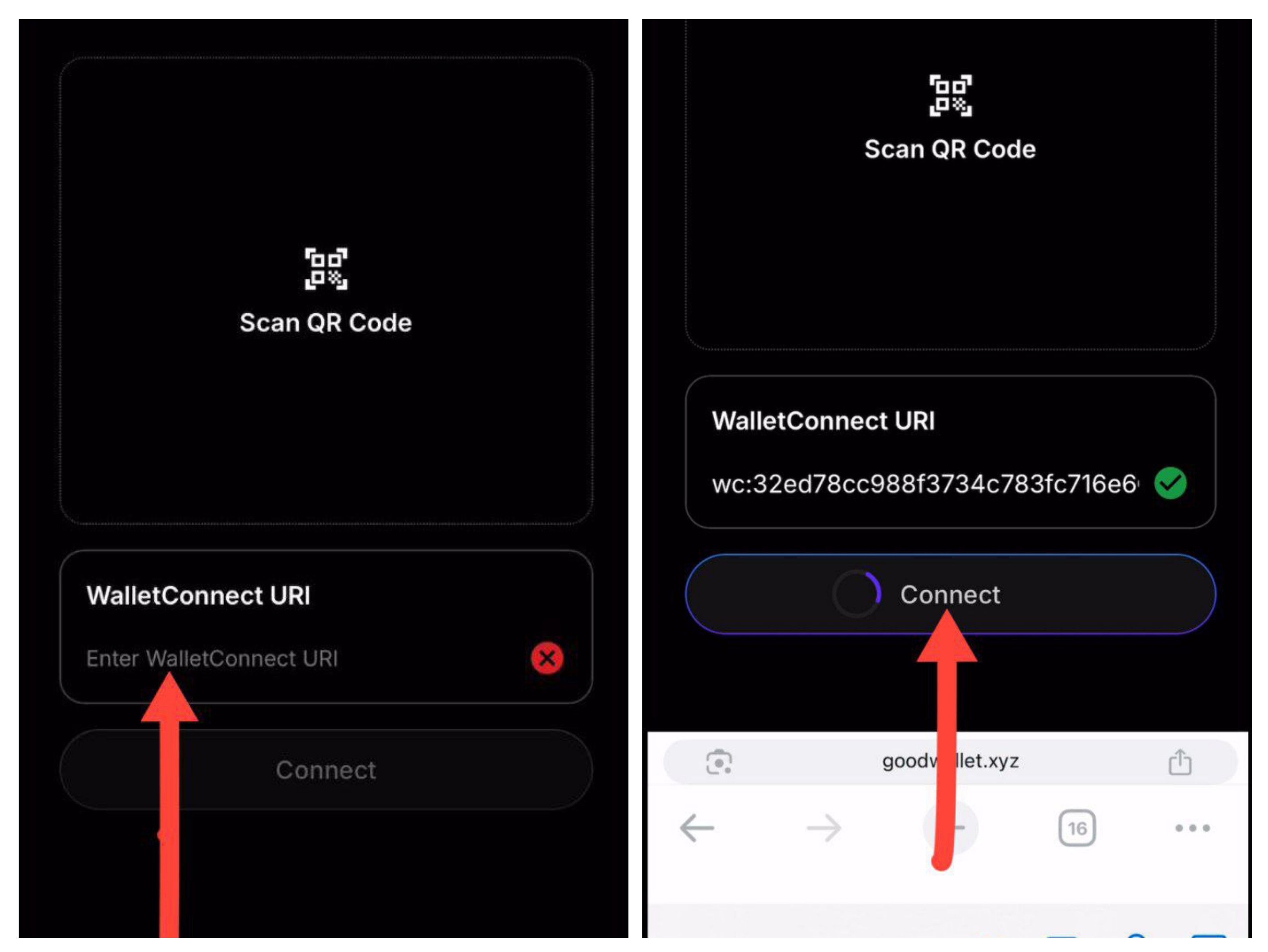
-Paste the copied link into NGW.
-Tap Connect.
Step 4: Approve Connection:
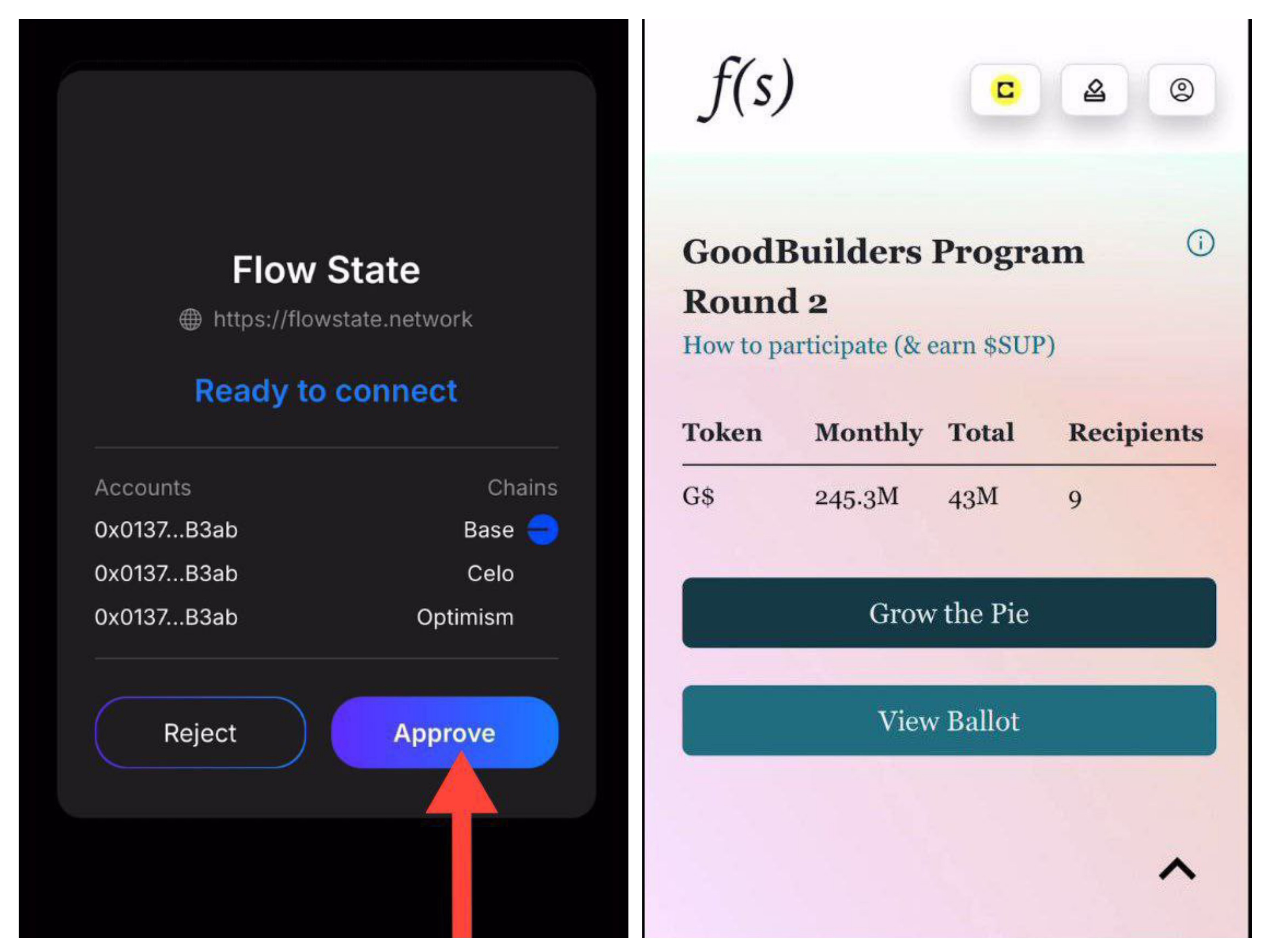
-Tap Approve in your wallet.
-Return to the voting site to continue.
Step 5: Understand the Voting Rules:
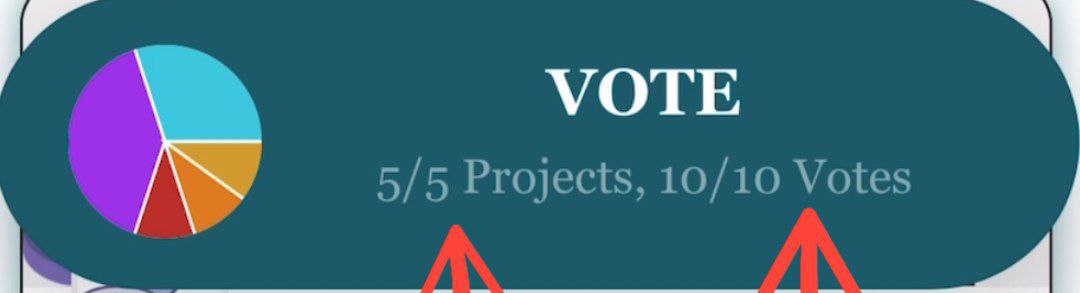
-You have 10 votes in total.
-You must vote for 5 different projects.
-You can assign more than 1 vote to a project you prefer.
Step 6: Choose Your Projects:
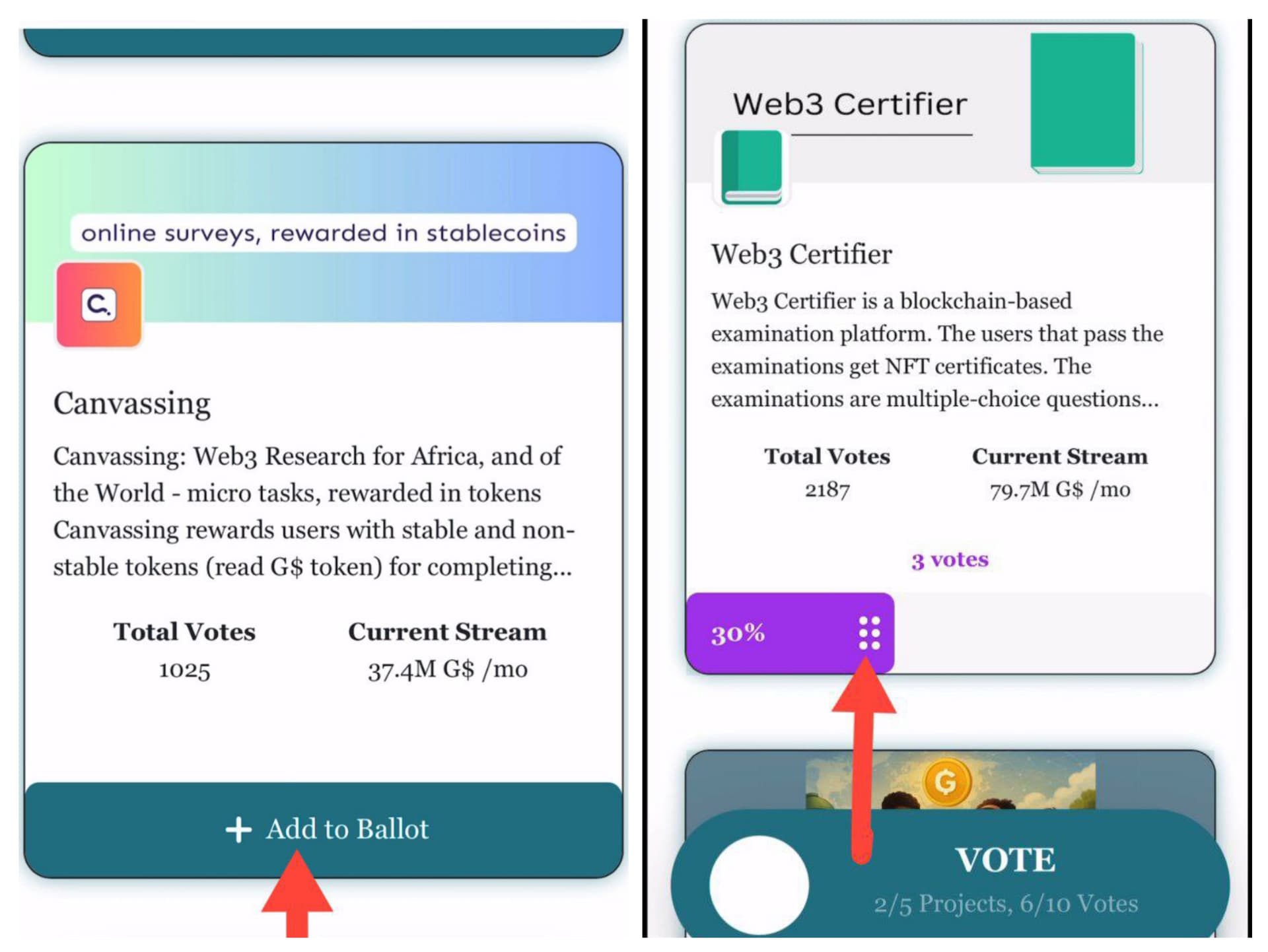
-Scroll down to view the list of projects.
-Tap “Add to Ballot” for each project you want to vote for.
-Tap the arrow icon next to each project to allocate how many votes you want to assign.
Step 7: Review & Submit Your Vote:
-Once you’ve selected 5 projects and distributed your 10 votes, scroll to the top.
-Tap View Ballot and then tap Vote to submit.
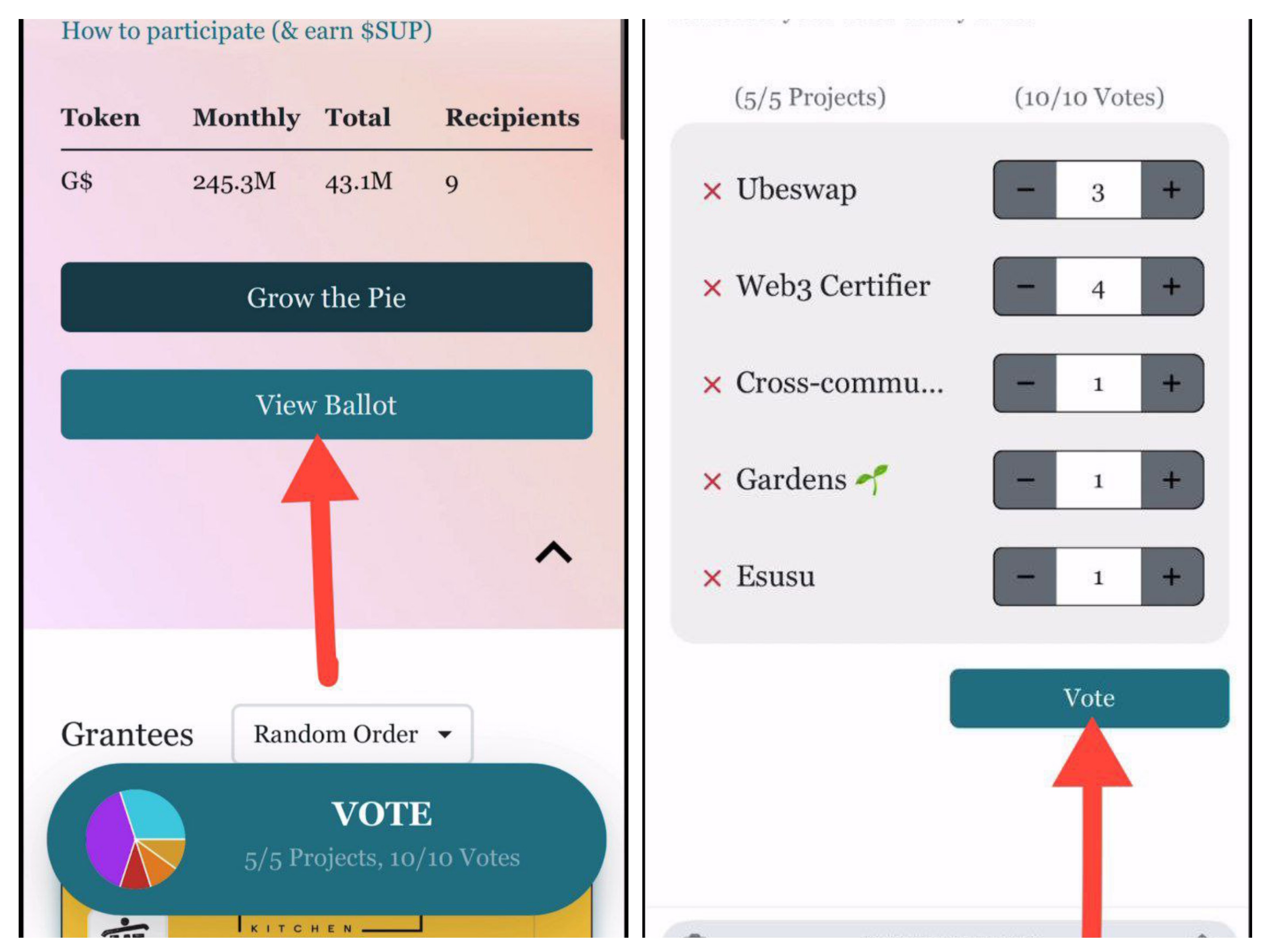
Step 8: Final Wallet Confirmation:
-After tapping Vote, the system will begin processing.
-You’ll be prompted to return to NGW to approve the transaction.
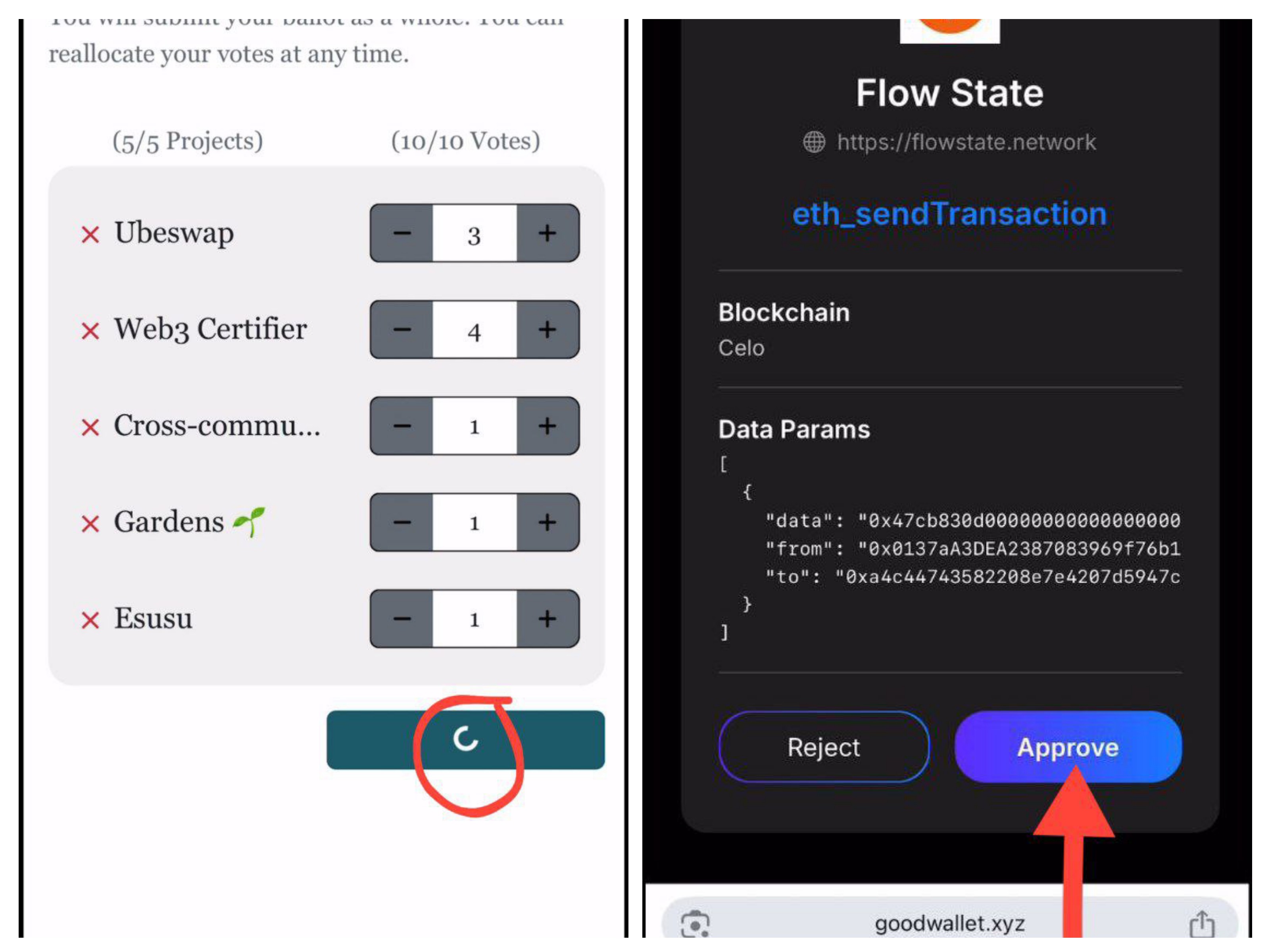
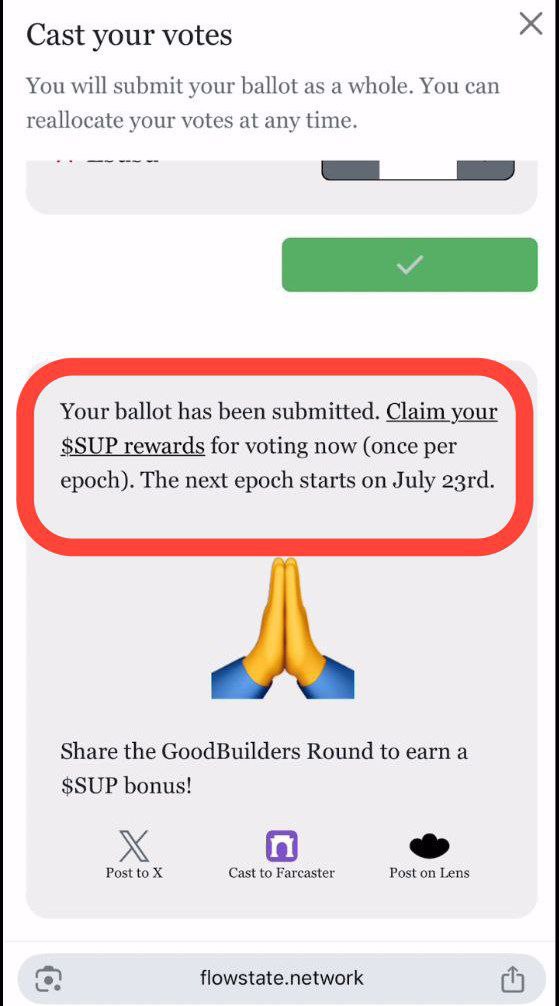
Step 9: Vote Submitted!:
-Congratulations! You’ve successfully cast your vote.
-You can now claim your Superfluid rewards for participating.